Loot Airdrops Page 🆕
Description
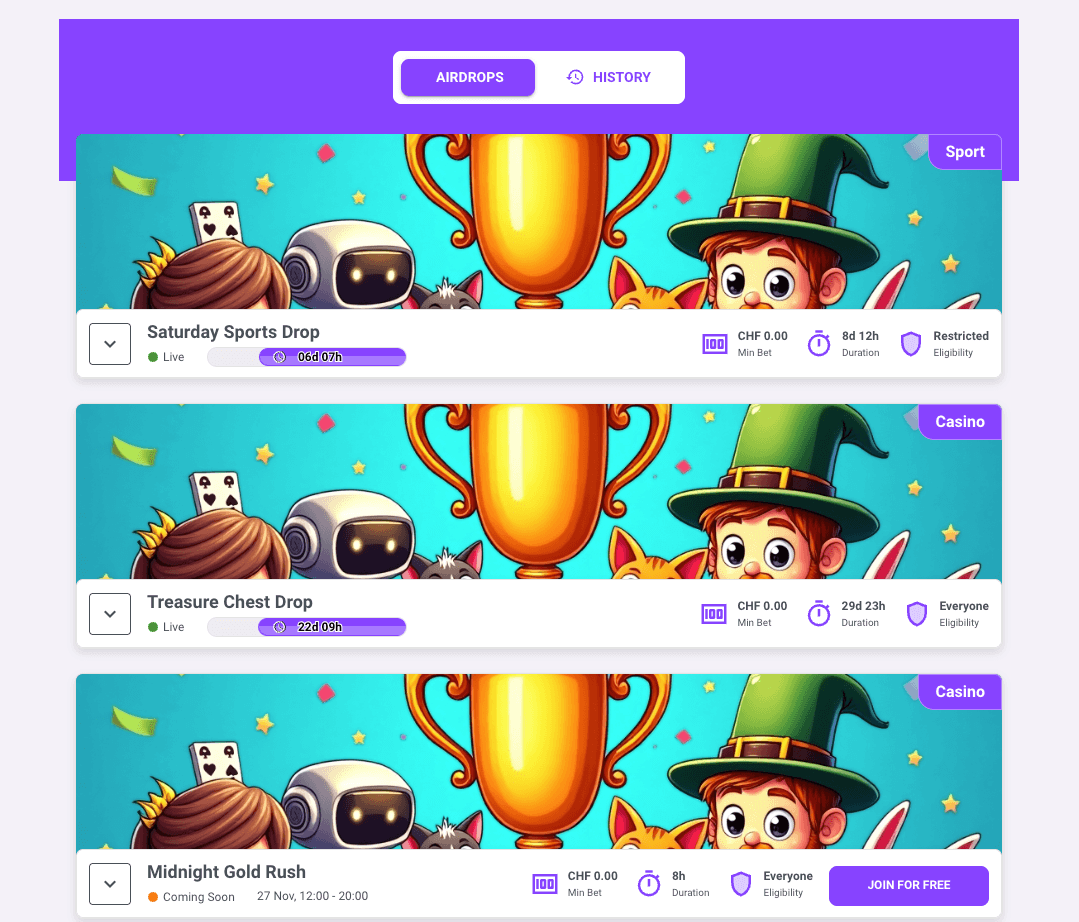
This widget displays the player's loot airdrops in an independent widget, with an active list and a history list.
Configuration
- class
<string|required>: gamification_widget - data-type
<string|required>: loot-airdrops
Important notes
- The Image in the header can be customized through the Backoffice (See Customization section for details)
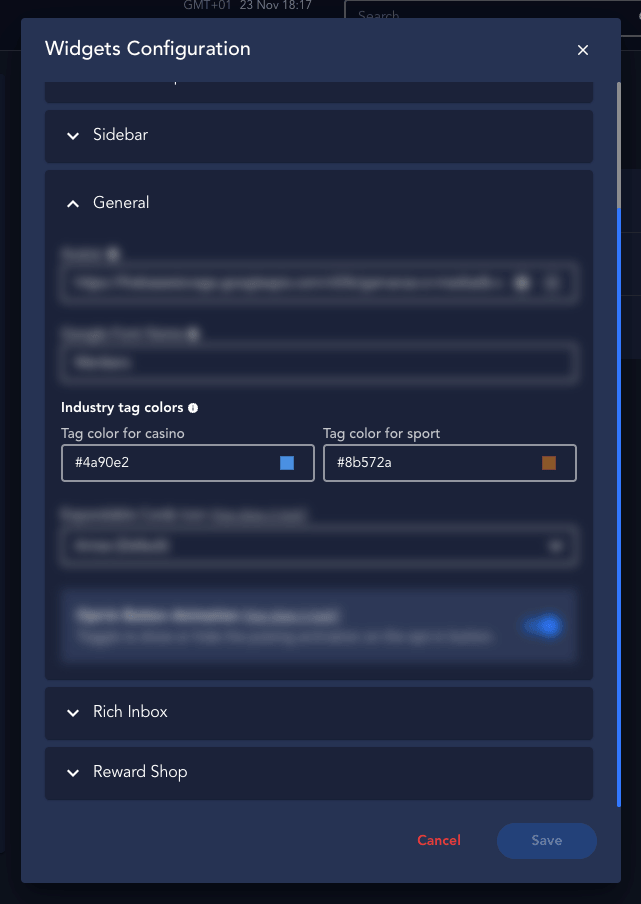
- The colors for the "Sport" and "Casino" badges can also be customized (See Customization section for details)
- The "Desktop" version appears in window widths above 992px.
- The Container max width is 1200px
Example:
Show me the code!
<div class="gamification_widget" data-type="loot-airdrops"></div>
UI views:
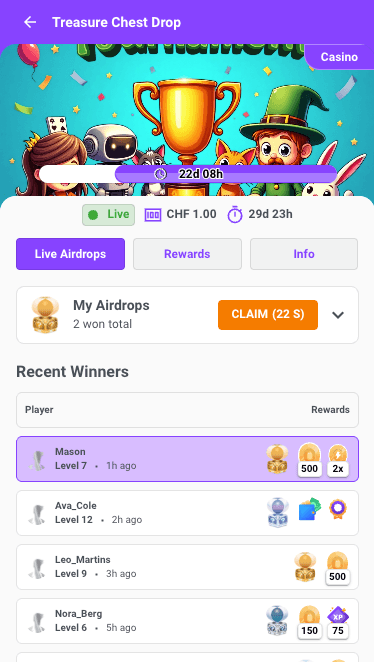
- Airdrops List Desktop
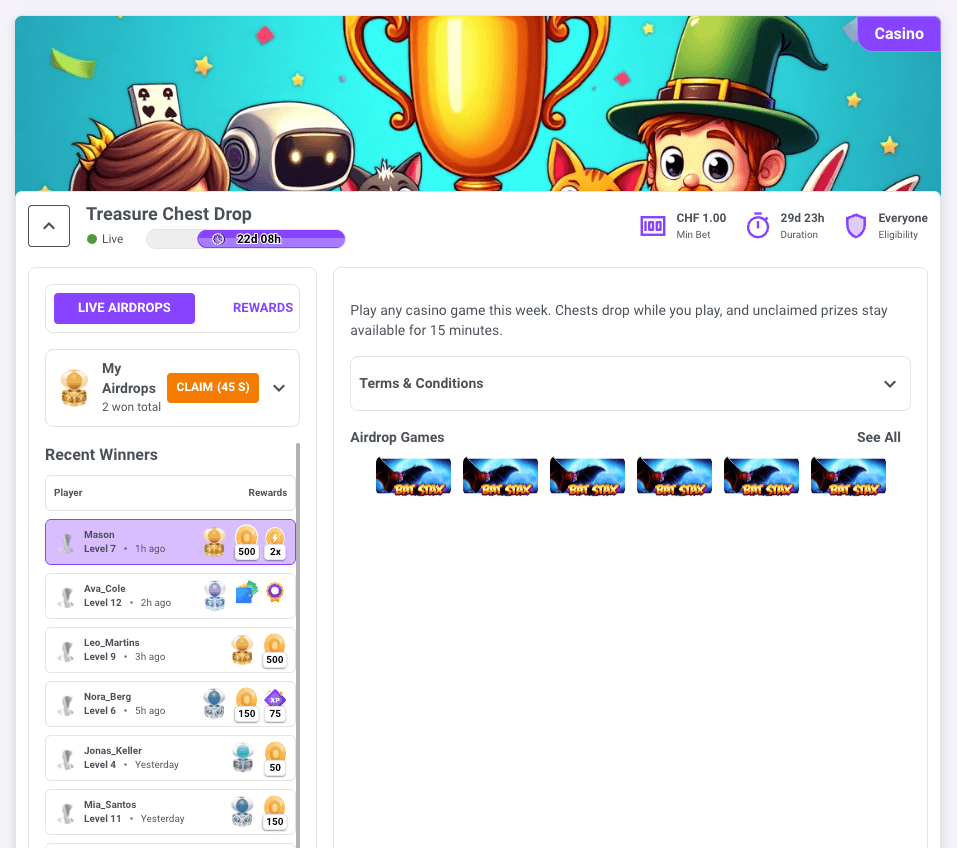
- Airdrop Details Desktop
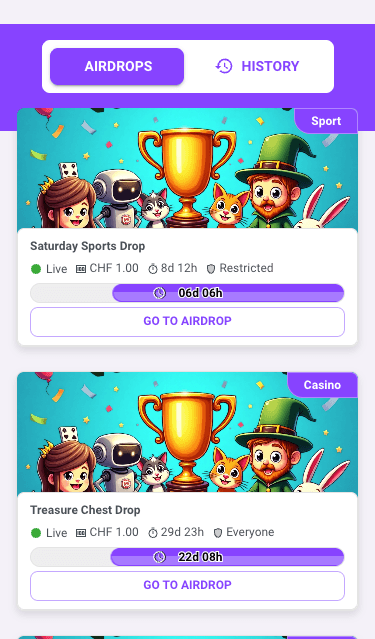
- Airdrops List Mobile
- Airdrop Details Mobile
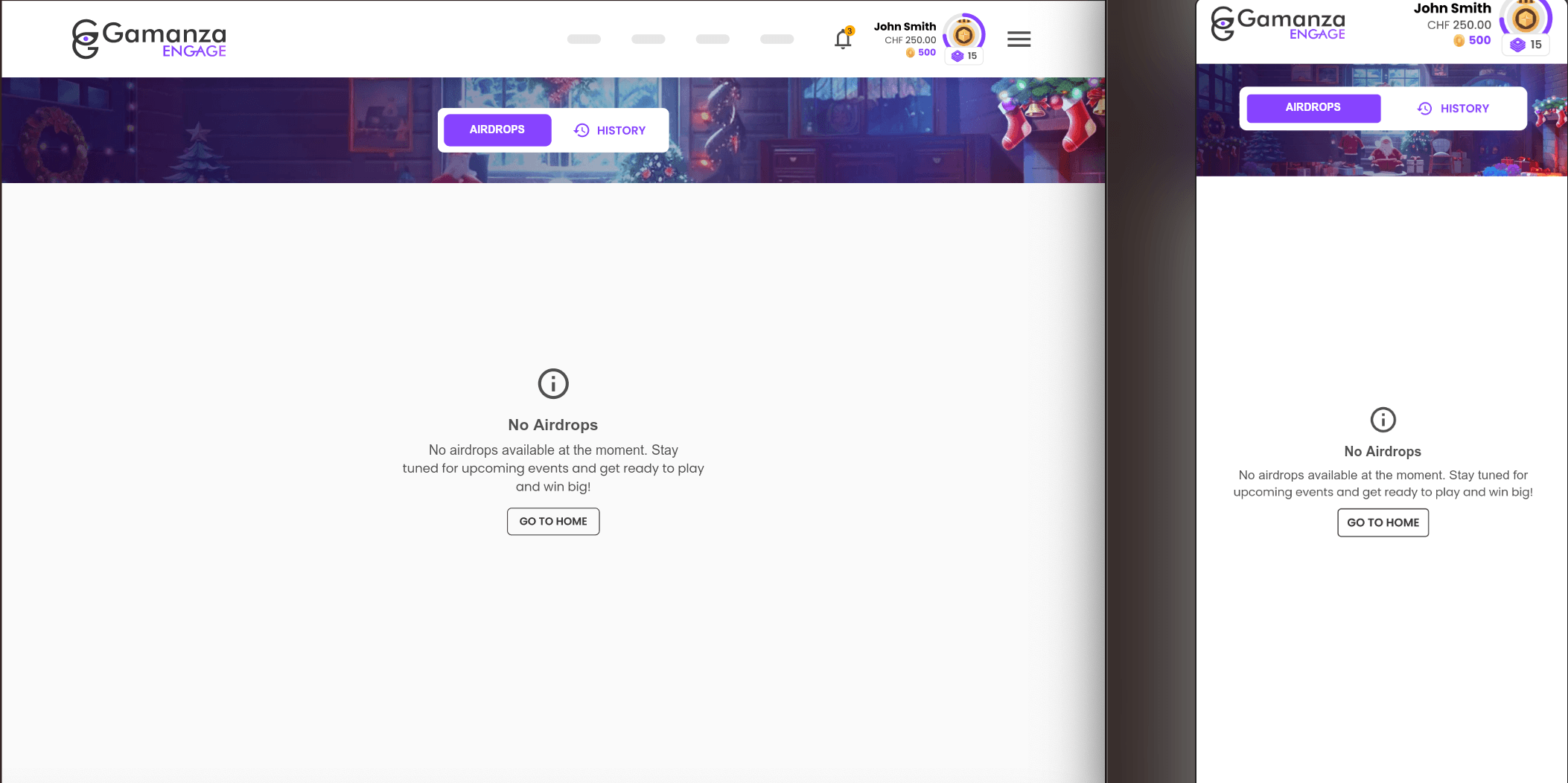
- Empty State Desktop / Mobile
Customization
The following features can be customized for the Loot Airdrops page. To modify these values head to the Backoffice (Settings -> Widgets):
Loot Airdrops specific
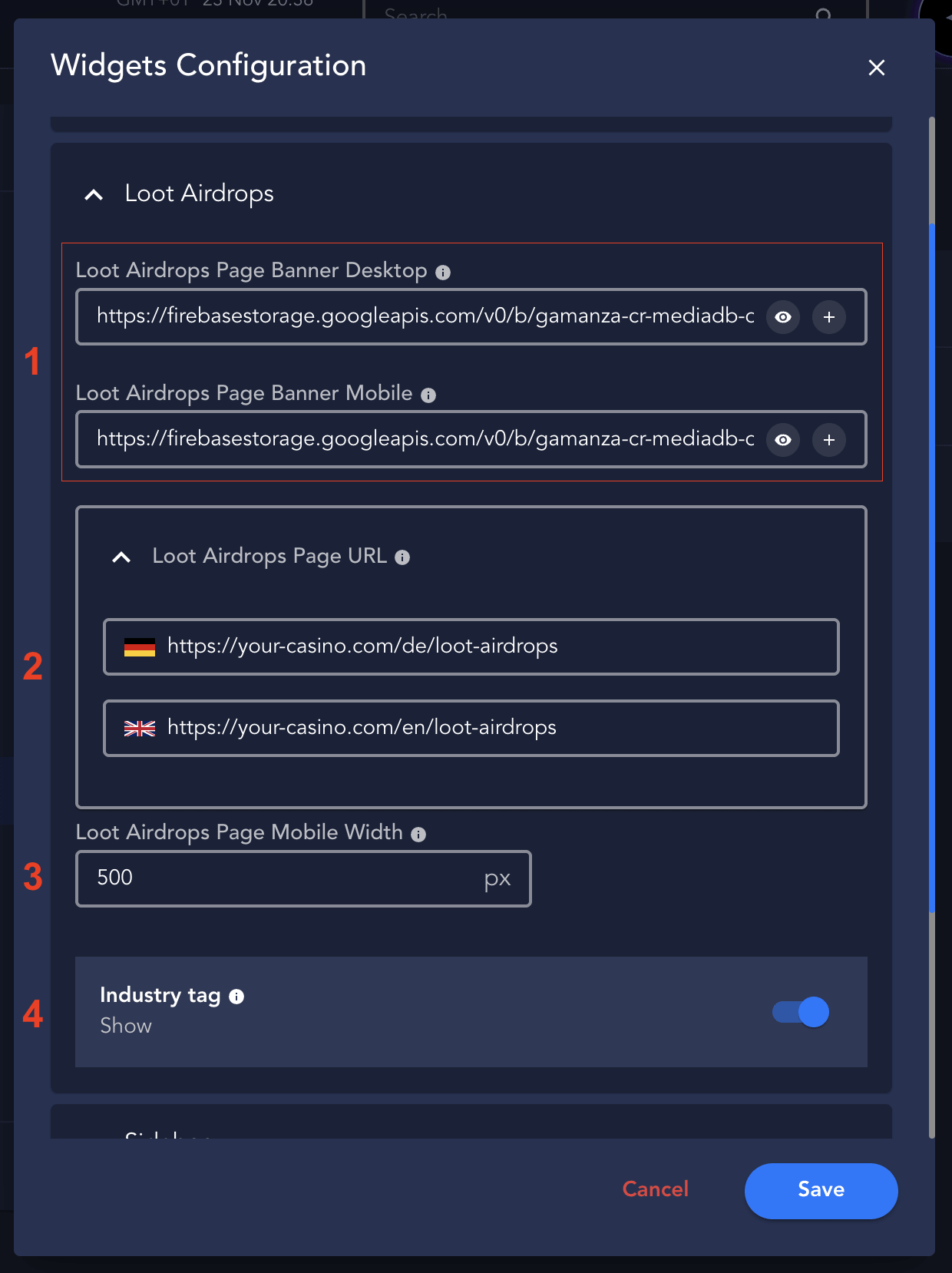
- Banner image
- Desktop and mobile images for the header
- The mobile image is also used in the sidebar
- If no banner is added, a solid theme color background will be used
- Page URL
- The URL where this widget is implemented, one link per language
- Used to route players when a loot airdrop is about to start
- Mobile width
- Sets the breakpoint where the mobile layout is used
- If left empty, the mobile layout is used below 992px
- Industry tag
- Show or hide the industry tag on airdrop cards. The default is show
General
Gamification can include sports or casino mechanics. Tag colors help visually distinguish between the two.